Automation Assets - Performance
Definition
Automation Assets (Performance) is an area of myExpert that serves to manage an automation system. The respective automation system is displayed in a detail view.
Structure
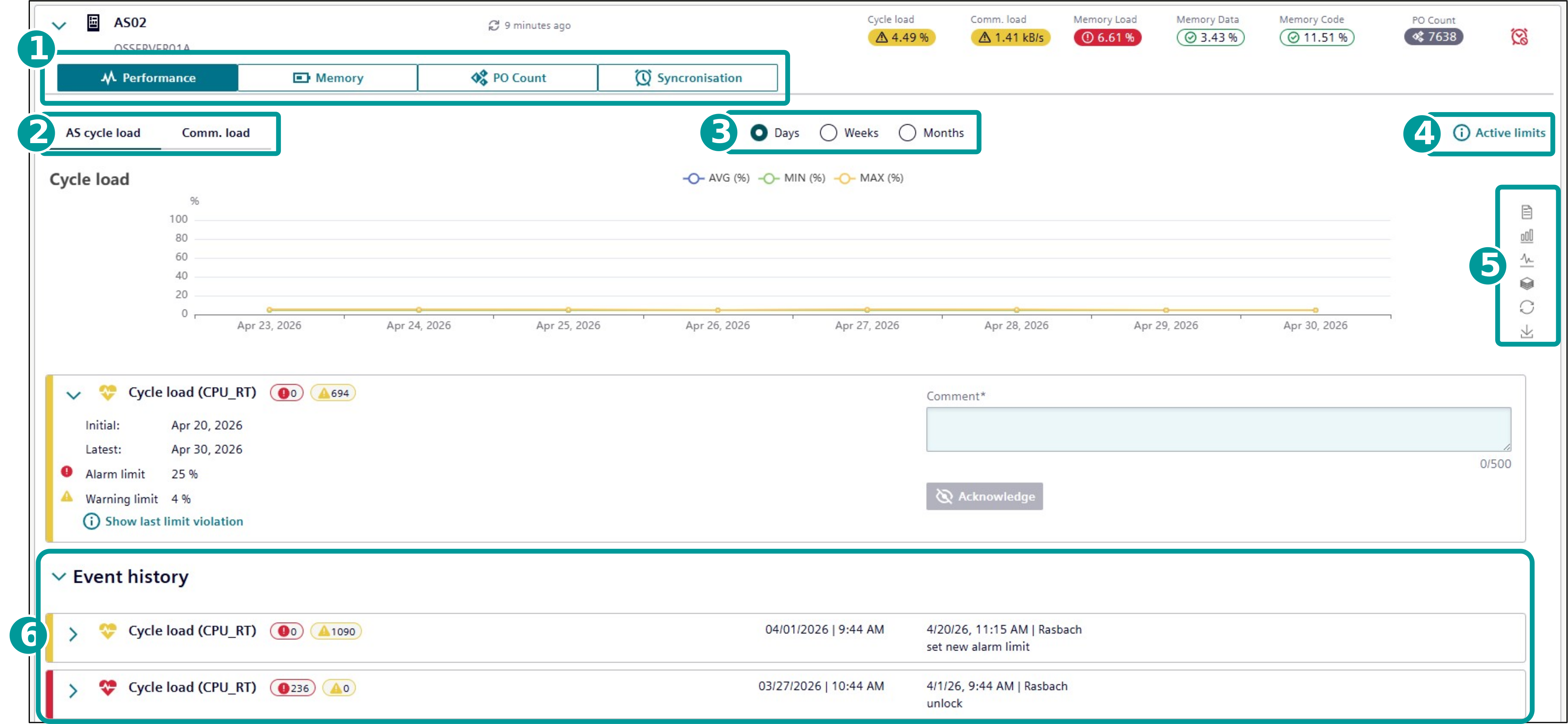
| No. | Object | Description |
|---|---|---|
| 1 | Categories | Switch between Performance, Memory, PO Count and Synchronisation views. |
| 2 | Sub-categories | Switch between the different sub-categories of the selected category. |
| 3 | Period of Time | Select the period of time for the displayed data. |
| 4 | Active Limits | Shows the current thresholds for the selected sub-category. |
| 5 | Display Mode | Alternate between different display modes or save an image of the respective data. |
| 6 | Event History | Commented and acknowledged events will be saved in the Event history. |
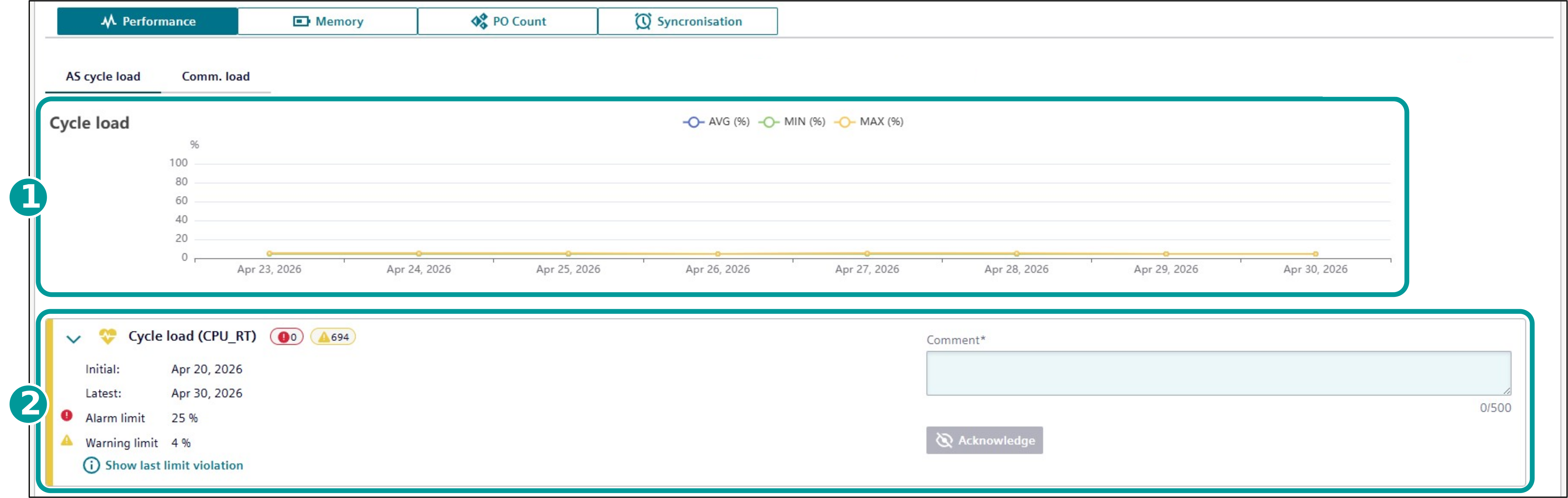
| No. | Object | Description |
|---|---|---|
| 1 | Cycle load / Communication load | Displays the development of the cycle or communication load. |
| 2 | Event Container | Shows the current event. The numbers indicate how many times the warning and alarm thresholds were exceeded. The event can be commented and acknowledged. |
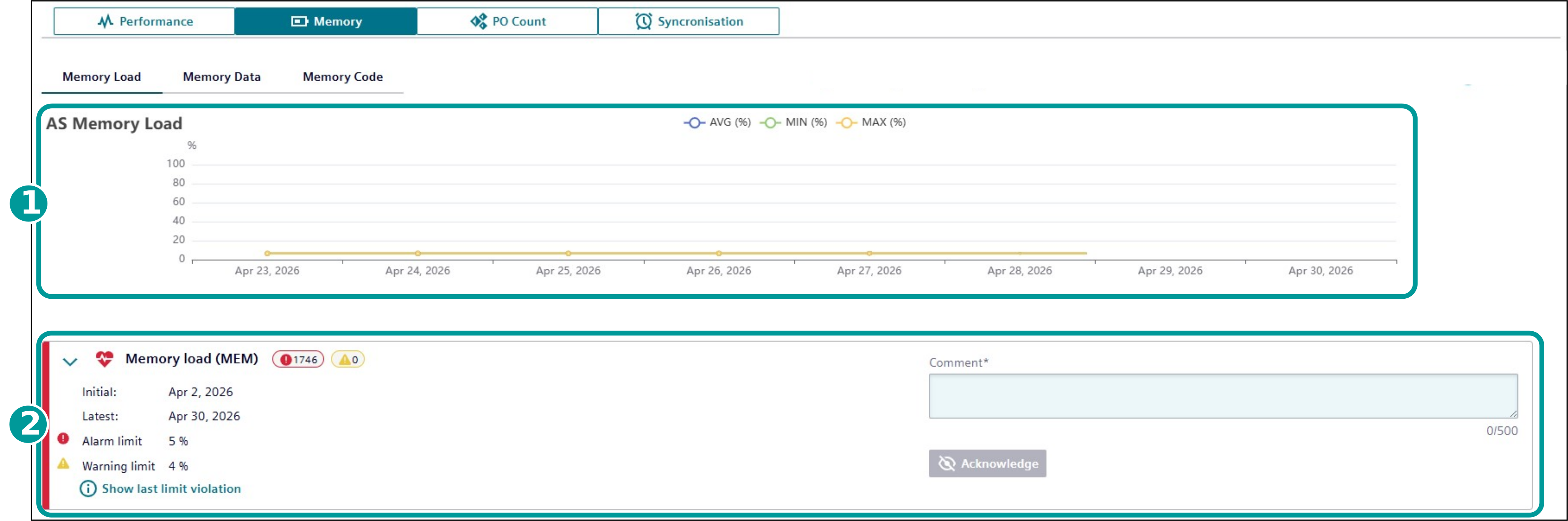
| No. | Object | Description |
|---|---|---|
| 1 | Memory Load / Memory Data / Memory Code | Displays the development of the utilization for the AS Memory Load, Data or Code. |
| 2 | Event Container | Shows the current event. The numbers indicate how many times the warning and alarm thresholds were exceeded. The event can be commented and acknowledged. |
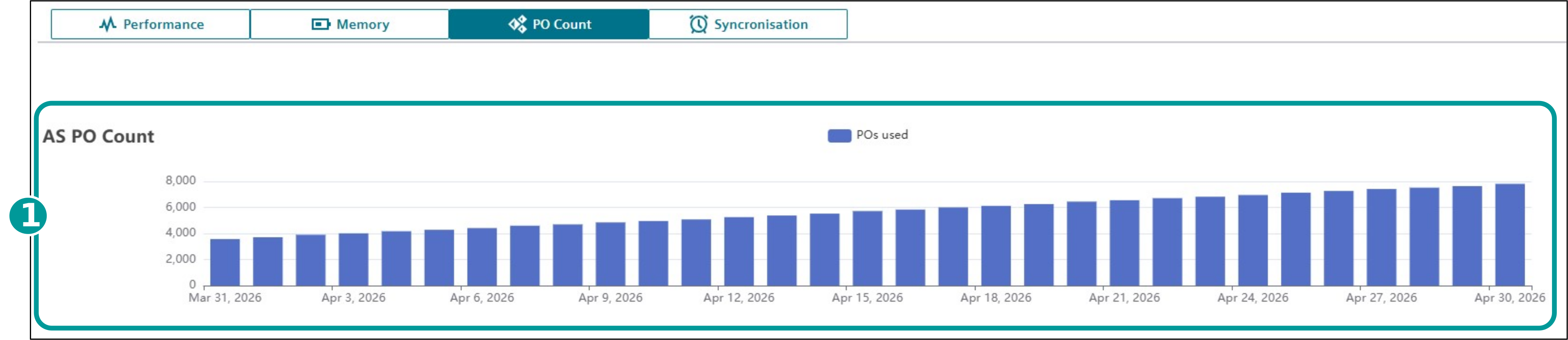
| No. | Object | Description |
|---|---|---|
| 1 | AS PO Count | indicates the number of Process objects in use on the automation system |
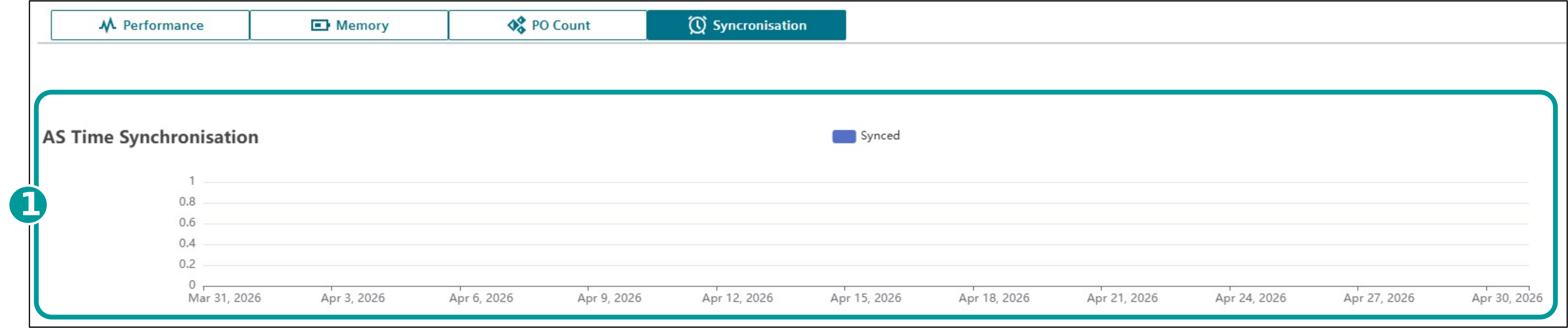
| No. | Object | Description |
|---|---|---|
| 1 | AS Time Synchonisation | Binary indication if the Automation System is synchronised |