Working with Inventory Management
After you have created a plant, you can start managing the inventory.
You need the following information for managing the inventory in myExpert:
Information on Inventory Management
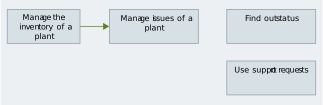
Edit Plant Inventory
The inventory of a plant can be created, updated, or deleted.
Edit Plant Inventory
Edit Plant Issues
The created inventory generates issues that need to be analyzed and processed as tasks.
Edit Plant Inventory Issues
Information on Plant Component Status
The status of the components of a plant should not be forgotten or overlooked. There are various ways to get information about the status of the plant or its components.
Information on Plant Component Status
Using Requests
Information exchange with other users or support can be helpful or necessary. Authorized users can use support requests.
Using Requests