Show / Edit User-defined Plant Details
Prerequisites
- You are logged in to myExpert as a user.
- Inventory has been uploaded to myExpert.
- The "myPlant" area is displayed.
Open Plant Entry - You have one of the following roles:
- Plant Admin (to edit)
- Plant User
- Support Admin
Procedure
-
Choose "Custom plant details".
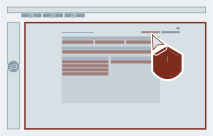
-
Optional: Edit the deposited / changable information about your plant:
- Choose the category and "Edit details".
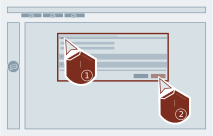
- Give the prefered information.
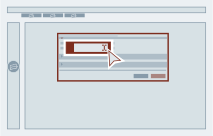
- Confirm your input.
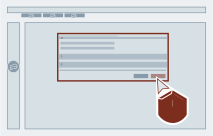
- Choose the category and "Edit details".
Result
The user-defined plant details are shown.